Here is something that confuses almost every business owner: you rank number one on Google Maps when you search from your own shop, but a customer three suburbs away searches the same thing and you are nowhere. You are not imagining it, and your rankings are not broken. You are running into the Google Maps ranking grid, and once you understand it, a huge amount of your confusion disappears.
The Google Maps ranking grid is one of the most misunderstood parts of local search, and most agencies never explain it. This guide breaks down what it is, why it happens, and what you can actually do about it.
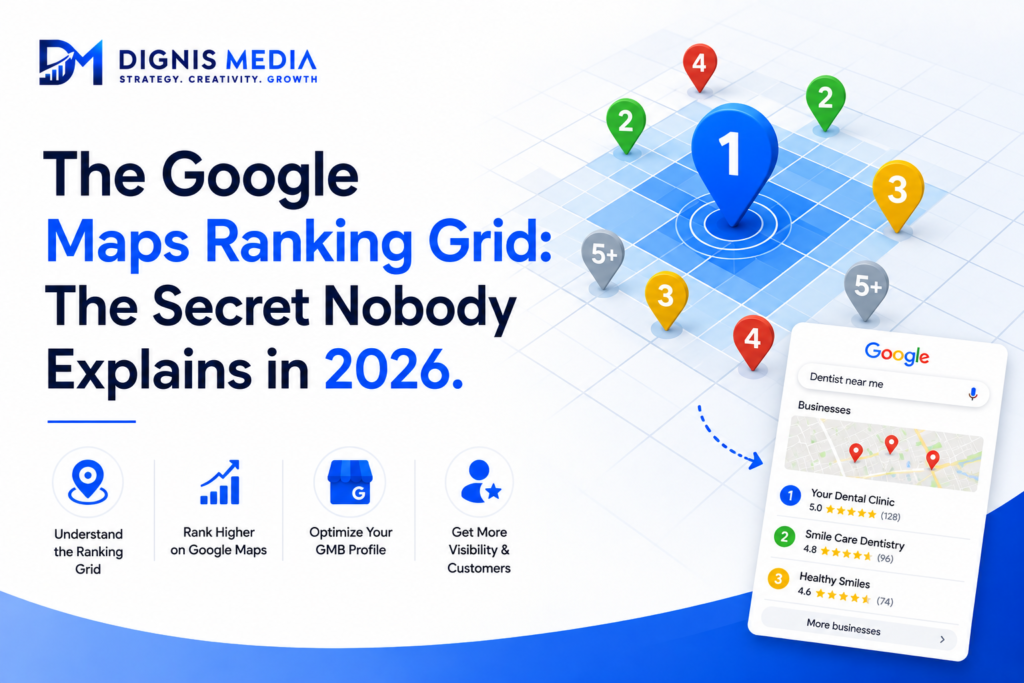
What the Google Maps ranking grid actually is
Your position on the map is not a single fixed number. It changes depending on where the searcher is standing. Google calculates local rankings across a grid of geographic points, and your position can be completely different at each point.
So the Google Maps ranking grid means you might be number one at your storefront, number four a suburb over, and invisible five suburbs away, all for the exact same search, at the exact same moment. There is no single “rank” for your business on the map. There is a different rank at every location a customer might search from.
Why proximity changes everything
The reason behind the Google Maps ranking grid is distance, one of Google’s three core local ranking factors. Google tries to show searchers businesses that are genuinely near them, because a customer usually wants the closest good option.
That means the further a searcher is from you, the harder you have to work on the other factors, relevance and prominence, to still appear. Close to you, weak optimisation might still rank. Far from you, only a strong, well-reviewed, well-optimised profile has any chance of showing up. This is why checking your rank only from your own shop is so misleading, it is the easiest point on your entire grid.
Why checking your own rank fools you
This is the trap. You search from your business, see yourself at number one, and assume you are dominating. But you are standing at the single best point on your grid. A customer across town sees a completely different result, often without you in it at all.
To see the real picture of your Google Maps ranking grid, you need to check your position from multiple locations around your service area, not just from your desk. Only then do you see where you are strong and where you disappear.
What you can actually do about the grid
You cannot change your physical location, but you can expand how far your grid reaches. Strengthen your relevance with precise categories and services, so Google is more confident showing you further out. Build prominence aggressively through steady reviews and activity, since a strong profile ranks across a wider grid than a weak one. Set your service areas correctly if you are a service-area business, which tells Google which suburbs you genuinely cover. And build local citations and consistency, which reinforce your presence across a broader area.
In short, a stronger overall profile does not just lift your rank, it widens your Google Maps ranking grid, so you appear across more of the suburbs where your customers actually search.
Frequently asked questions
What is the Google Maps ranking grid? It is the way Google ranks your business differently depending on where the searcher is located, so you can rank highly nearby and poorly further away for the same search.
Why do I rank at my shop but not a few suburbs away? Because of proximity. Google favours businesses near the searcher, so you naturally rank best close to your location and fade with distance.
Is my ranking broken if it changes by location? No. Location-based variation is normal and expected. There is no single rank; it changes across the grid.
How do I check my real Google Maps ranking? Check from multiple locations across your service area, not just from your own premises, which is the easiest point on your grid.
Can I rank further from my location? Yes, indirectly. A stronger profile with better relevance and prominence appears across a wider area, effectively expanding your grid.
Does this affect service-area businesses? Very much. Setting accurate service areas and building a strong profile is how service businesses widen the grid they appear in.
See your real ranking, not the flattering one
If you have been checking your rank only from your shop, you are seeing the best point on your Google Maps ranking grid, not the real one. Dignis Media maps your true ranking across your whole service area and widens it as part of our GMB SEO service. For the official factors, see Google’s local ranking guidance.
Related reading: Google Maps not ranking? 10 fixes · Google Maps Optimisation guide · Why does my competitor rank higher?