If you fix only one thing on your listing this year, make it this. Google Business Profile categories are the single highest-leverage field you control, and the one most businesses quietly get wrong. Choose the right one and you start appearing for searches you were invisible for. Choose the wrong one and nothing else you do will save you.
This guide covers exactly how Google Business Profile categories work, how to pick your primary one, when to add secondaries, and the mistakes that keep good businesses buried.
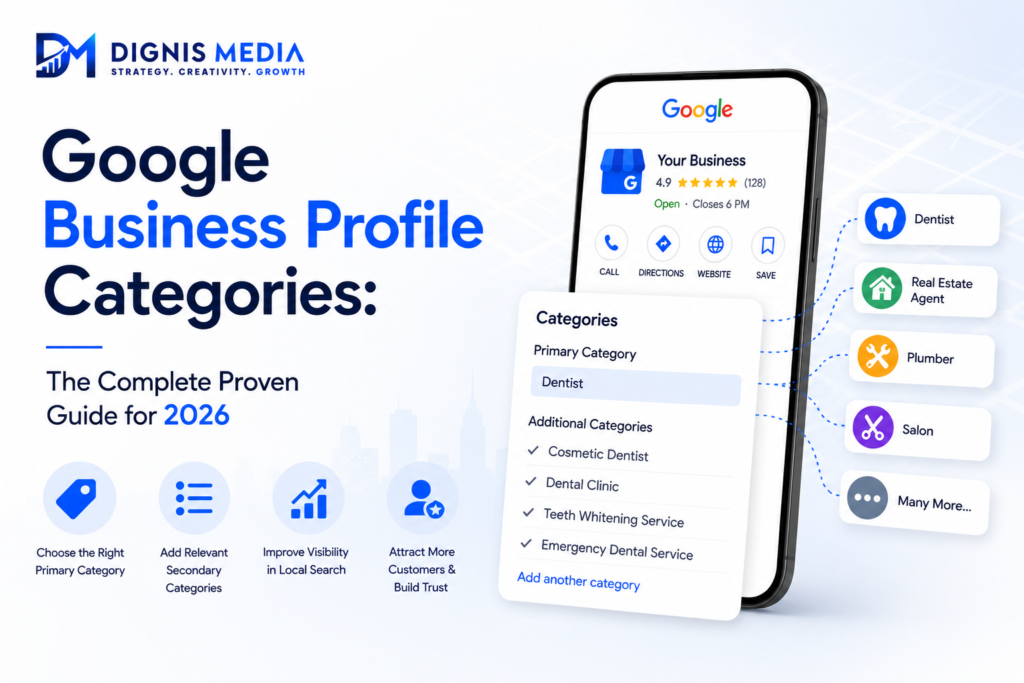
Why Google Business Profile categories matter more than anything else
Google needs to know what your business actually is before it can decide which searches to show you for. Google Business Profile categories are how you tell it. They are the primary driver of relevance, one of the three factors Google uses to rank local results.
Here is what makes them so powerful. A perfectly optimised profile with the wrong category will still fail, because Google fundamentally misunderstands what you do. Meanwhile a modest profile with the exact right category can outrank far bigger competitors. That is why Google Business Profile categories are the cheapest, fastest ranking win available to almost any business.
Primary vs secondary categories
You get one primary category and up to nine additional ones, and they do very different jobs.
Your primary category carries by far the most weight. It defines what your business fundamentally is, and it heavily influences which searches you appear for. This is the decision that matters most.
Your secondary categories describe additional things you do. They help you appear for related searches, but they carry much less weight than the primary. They supplement, they do not replace.
The classic mistake is treating them as equal. Getting your primary right is worth more than all nine secondaries combined.
How to choose your primary category
Be specific, not broad. Google Business Profile categories reward precision, because Google prefers exact matches to vague ones.
Ask yourself: what is the single thing my business fundamentally is? Not what you also offer, not your speciality, but your core identity. A dentist who does implants is a “Dentist” first, with implants as a service or secondary category. A cafe that serves lunch is a “Cafe,” not a “Restaurant.”
Then check what your top-ranking competitors use. Look at the businesses already in the local three-pack for your main search. If they all share one category and you have a different one, that is a strong signal you have chosen wrong.
Finally, choose the most specific category that genuinely fits. “Italian Restaurant” beats “Restaurant” if you actually are one. Specificity wins.
How to choose secondary categories
Add only categories that genuinely reflect services you actually offer. Do not stuff the list with everything vaguely related, because irrelevant Google Business Profile categories dilute your relevance and can confuse Google about what you are.
A good rule: if a customer would be surprised to find you under that category, do not add it. Three accurate secondaries beat nine sloppy ones.
The mistakes that keep businesses buried
A few category errors cost businesses dearly.
Choosing a category that is too broad, so you compete with everyone and match nothing precisely. Choosing one that is simply wrong, which makes everything else you do ineffective. Stuffing the secondaries with unrelated categories, hoping to catch more searches, which backfires. Never revisiting your categories as your business evolves. And copying a competitor blindly without checking whether they actually rank.
Because Google Business Profile categories are so decisive, any one of these can be the reason you are invisible.
How to change your category safely
You can update your categories in your profile dashboard at any time. Two cautions, though.
Changing your primary category is a significant edit, and large sudden changes can trigger a Google review or, in rare cases, a suspension. So change it deliberately, one thing at a time, and make sure the new category genuinely reflects your business.
Also expect a settling period. After changing Google Business Profile categories, rankings can fluctuate for a few weeks while Google re-evaluates you. That is normal. Do not panic and change it back immediately.
Frequently asked questions
What is the most important Google Business Profile category? Your primary category. It carries far more weight than all your secondary categories combined and defines what you rank for.
How many categories can I add? One primary plus up to nine additional categories, though only add secondaries that genuinely reflect what you offer.
Should I choose a broad or specific category? Specific. Google rewards precision, so the most specific category that genuinely fits your business is almost always the right choice.
Can I change my primary category later? Yes, in your dashboard. Change it deliberately, since large sudden edits can trigger a review, and expect a few weeks of ranking fluctuation afterwards.
Will adding more categories help me rank for more searches? Only if they are genuinely relevant. Irrelevant categories dilute your relevance and can confuse Google about what you actually are.
How do I know if my category is wrong? Check the businesses ranking in the local three-pack for your main search. If they share a category and you do not, yours is likely wrong.
Get your category right
Google Business Profile categories are the single biggest lever you have, and the one most businesses never revisit after setup. Dignis Media audits and fixes categories for Australian businesses as part of our GMB SEO service. For the official guidance, see the Google Business Profile guidelines.
Related reading: Google Maps not ranking? 10 fixes · The Google Business Profile checklist · Google Maps Optimisation guide